
Add User
This article relate to add a new user for SongBird (WebRTC).
You must have an instance and location beforehand create (article).
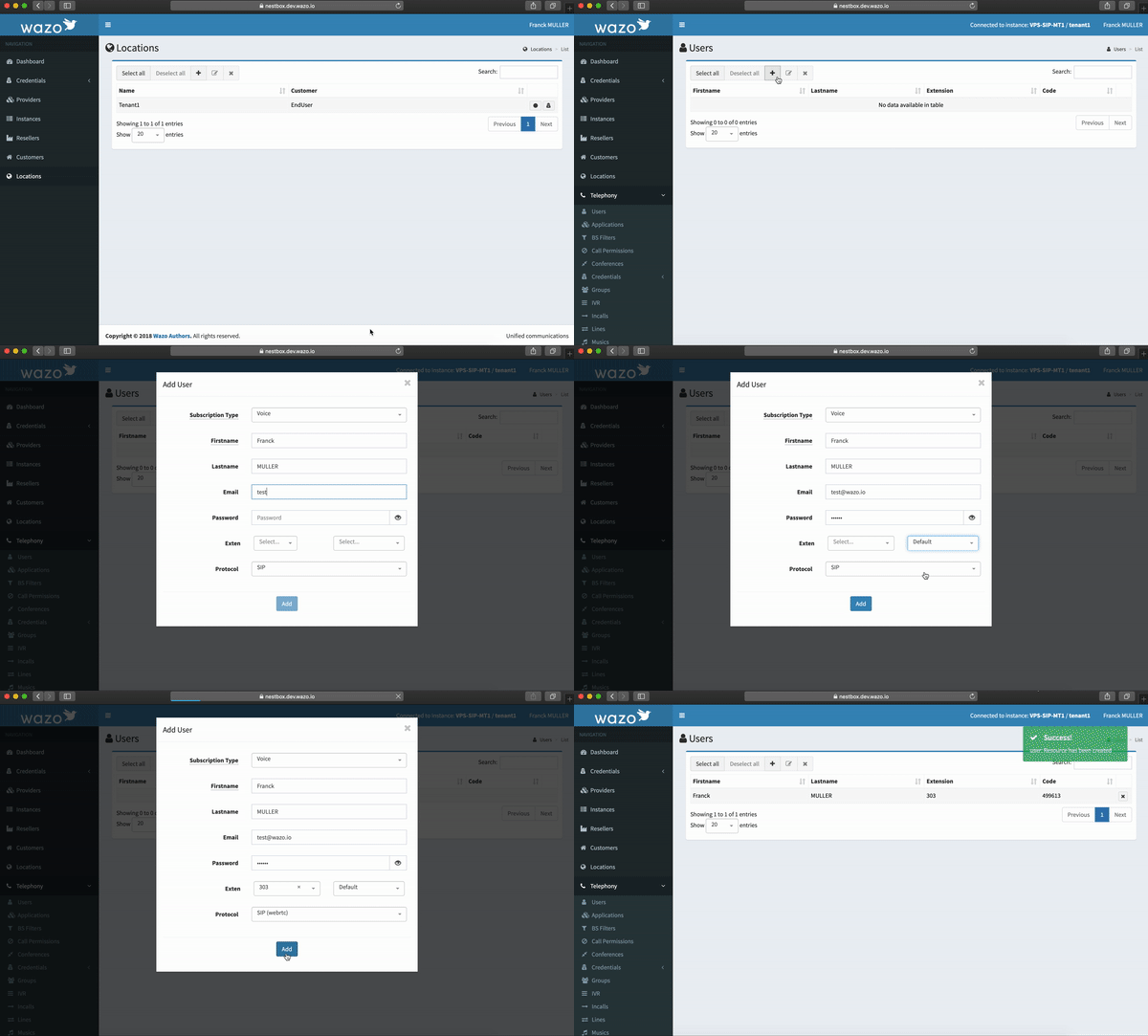
Connect you in the location desired and click on the ADD(+) button top of table:
- Souscription type: select the souscription for this user (for WebRTC prefer the 'Mobility')
- Firstname: insert your firstname
- Lastname: insert your lastname
- Email: insert a valid email address, it will serve as a login for SongBird
- Password: insert a password, it will serve as a password for SongBird
- Exten: before select the context and the number of the line desired
- Protocol: select the SIP(WebRTC) protocol
Your configuration step is done !
If you have an error please refer to the FAQ or contact the help support